 Software Development
 Security Services
 Cloud Services
 AI Services
 Other Services















 TechMagic Academy


Cloud Migration Strategies, Process, and Tools: The Ultimate Guide
Last updated:7 January 2026



According to Cybersecurity Ventures, more than 100 Zettabytes of data will be stored in cloud data centres and worth USD 448.34 billion by 2025. These numbers demonstrate how the cloud market will expand in the coming years.
Most cloud migrations fail because teams move too fast, migrate the wrong workloads, or underestimate dependencies. Industry reports consistently show that a large share of cloud spend is wasted within the first year.
This often happens because decisions were made before anyone agreed on what should actually move, when, and why. That’s the real risk behind migration to cloud services.
In our new article, we break down cloud migration as a business and engineering process. You’ll learn what cloud migration really means, why companies migrate in the first place, and how to choose between rehosting, replatforming, refactoring, or not migrating at all.
We’ll cover the main migration types, the most common risks teams run into, and how to avoid downtime, cost overruns, and security gaps. Finally, we walk through cloud computing migration steps that teams can actually follow.
Key takeaways
- Cloud migration is a strategic call, and it starts with choosing the right workloads.
- Not every app belongs in the cloud. Skip the validation step and you pay for it in cost and risk.
- The strategy has to fit your business goals, your system complexity, and the skills you have in-house.
- A clear, staged process is what keeps downtime, security gaps, and surprise bills in check.
- And most of the long-term value shows up after the move, during optimization.
What is Cloud Migration?
Cloud migration is the move of data and applications from on-premises infrastructure to the cloud. But not every workload runs better there, so it's worth validating what to prioritize and how to migrate it before anything goes live. A good strategy answers three questions: what moves, how, and in what order.
Most plans include a cloud migration strategy where the target is Amazon Web Services (AWS), Google Cloud Platform (GCP), Microsoft Azure, or other cloud providers. Data centres are facilities devoted to housing computer equipment, as opposed to a server room or server closet, where you could find storage units for computer systems behind a locked door in any given office. They are typically enormous and built primarily to maintain a lot of technology functioning at its best.
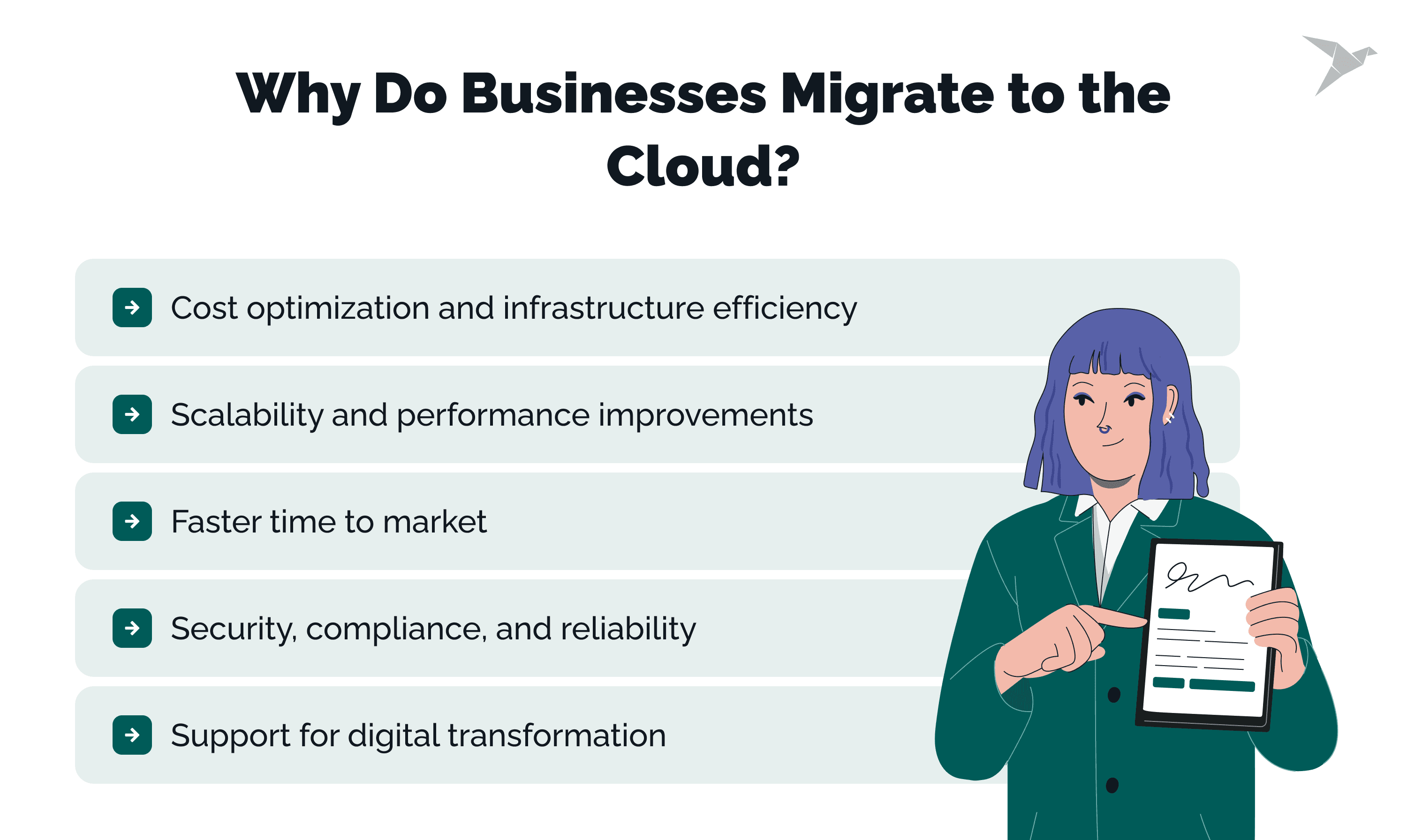
Why Do Businesses Migrate to the Cloud?
In our experience, the decision almost always comes back to one business outcome. A team wants to scale without friction, or finally get costs under control, or ship faster, or carry less operational risk. The cloud helps because it trades a fixed, capacity-based model for one that flexes with real demand.
Cost optimization and infrastructure efficiency
Cloud platforms trade big upfront infrastructure spend for usage-based pricing. You pay for what you actually use and scale up or down as demand shifts. That alone cuts overprovisioning and the cost of idle capacity sitting there doing nothing.
The operational load drops too. The provider handles hardware maintenance, system updates, and most of the infrastructure underneath. That frees your team to work on application reliability and the product instead of routine plumbing.
Scalability and performance improvements
Cloud environments scale on demand. A traffic spike, a seasonal surge, a push into a new market, none of it requires redesigning the infrastructure. Resources adjust on their own, so performance holds up under load.
That flexibility covers the short-term spikes, like a campaign or a launch, and the long-term growth, without a major re-architecture either way.
Faster time to market
Delivery cycles get shorter. Instead of waiting weeks for an environment, a team spins one up in minutes, and standardizes the development, testing, and deployment pipelines while they're at it.
With setup no longer waiting on procurement and infrastructure planning, releases come out more often, and the team reacts to customers and the market faster.
Security, compliance, and reliability
The major providers pour money into security, monitoring, and redundancy. Encryption, access control, logging, incident response, much of it comes built in across environments.
Compliance gets more manageable, too, thanks to certified infrastructure and the shared responsibility model. And high availability, backup, and disaster recovery come as options, so resilience doesn't demand a complex custom build.
Support for digital transformation
Migration also opens the door to modern architectures and workflows: microservices, APIs, data platforms, and the automation tooling that keeps improvement continuous. On that foundation, it's far easier to modernize legacy systems, fold in new technology, and keep IT operations in step with how the business is changing.

What Are the Main Types of Cloud Migration?
When a client asks us which type fits, we start with two questions. Where do your workloads run today, and how much change can the business actually absorb? The answers usually rule out half the options on the spot. Each type carries its own constraints, risk, and operating model, and the whole job is matching the target to your real conditions.
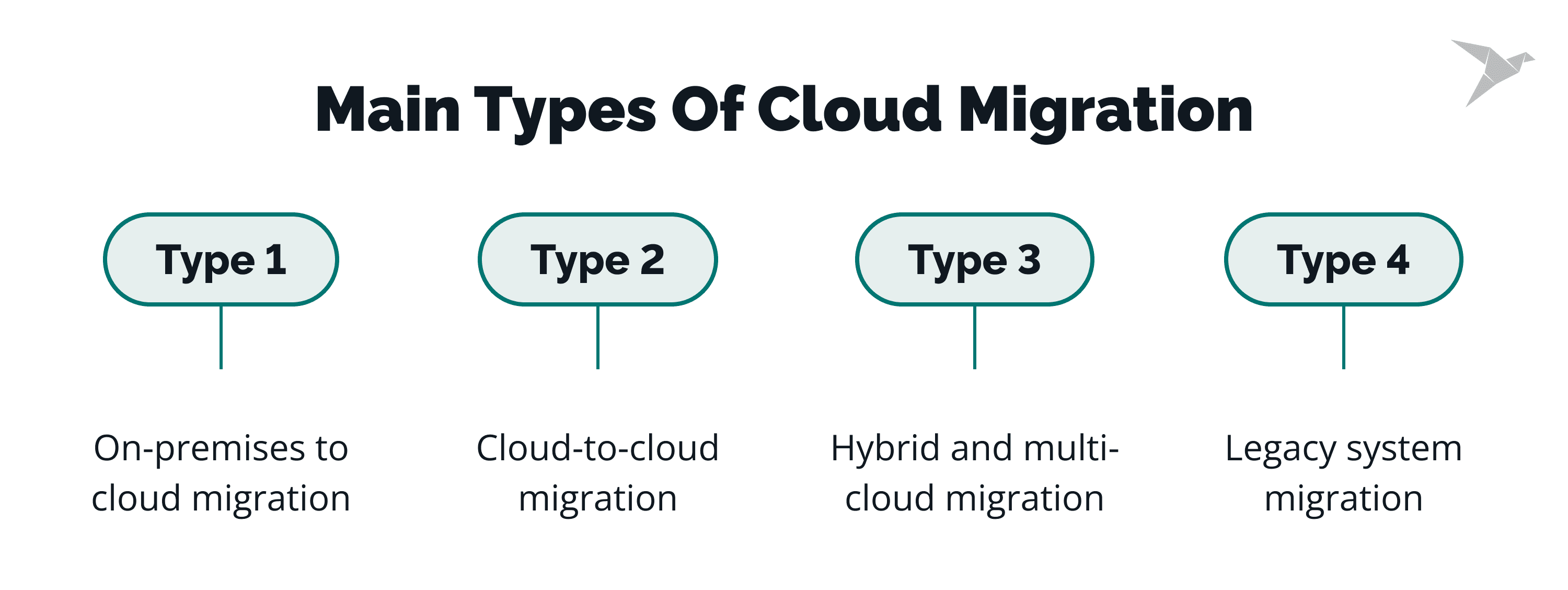
On-premises to cloud migration
This one moves applications, data, and infrastructure out of a traditional data center and into a public or private cloud. The usual goals: less hardware to depend on, simpler infrastructure management, and room to keep optimizing over time.
It's the right call when the current environment is capping scalability, performance, or cost control. And it works best for organizations ready to trade fixed capacity for on-demand resources and commit to a detailed plan.
Cloud-to-cloud migration
Cloud-to-cloud migration moves workloads between providers or regions. People do it to cut costs, reach a specific service, expand into a new geography, or spread vendor risk.
It takes careful planning around data transfer, service compatibility, and keeping operations running throughout. Teams already on cloud-native workloads tend to choose it when they want more flexibility or resilience.
Hybrid and multi-cloud migration
Hybrid migration leaves part of the workload on-premises and moves the rest to the cloud. Multi-cloud spreads workloads across more than one provider.
These fit organizations with regulatory constraints, latency-sensitive systems, or sunk investments that can't all move at once. They also let you migrate gradually and avoid leaning on a single provider.
Legacy system migration
Legacy system migration deals with older platforms built on dated architectures. These systems usually come with tightly coupled components, custom integrations, and software nobody supports anymore.
Getting them across can mean refactoring, partial modernization, or rebuilding the key functions outright. It's the path for a business that needs to extend the life of critical systems while making them steadier, safer, and easier to connect to modern tools.
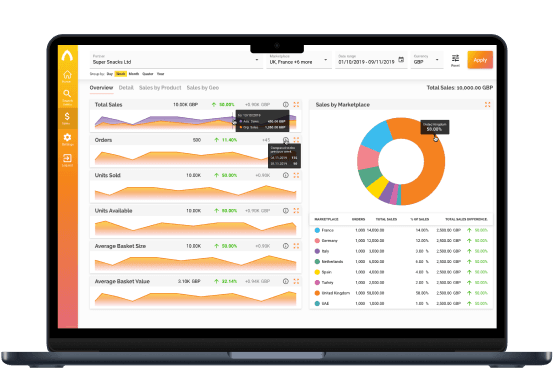
an E-commerce analytics app using JS and Serverless on AWS
What Are the Common Cloud Migration Challenges?
We've watched migrations wobble for the same handful of reasons: scope that was never nailed down, a timeline set before anyone looked at the systems, a gap between what you have and where you're headed. A defined approach is what lets you see those coming and put controls in place before a single workload moves.
Downtime and business disruption
In practice, the outages almost always trace back to a dependency someone underestimated. An app leans on a shared database, a legacy integration, or a network setup that just won't move cleanly, and nobody flags it until cutover night.
The fix starts with mapping dependencies and migrating in phases. Run environments in parallel, schedule the cutover for a quiet window, and test your rollback plan, and the hit to users stays small.
Data loss and integrity risks
Data problems show up during extraction, transfer, or transformation. A mismatched schema, an incomplete backup, an interrupted transfer, any of them can leave you with data that's missing or corrupted.
You lower that risk by validating data on both sides of the move, checking it with checksums or reconciliation reports, and keeping verified backups until the new environment settles.
Cost overruns
The surprise bills? Usually overprovisioned resources, storage nobody is watching, or transfer fees that never made it into the estimate. Without good visibility, spend climbs fast once you're live. We've seen it double before anyone noticed.
Keep it in check by right-sizing resources, setting usage alerts, and reading the pricing models early rather than after the fact. Then monitor, so consumption tracks what the workload actually needs.
Security and compliance gaps
Gaps open up when access controls, logging, or encryption don't match your on-premises standards. And your compliance obligations can shift depending on where the data now lives and how the shared responsibility model splits the work.
So align your security baselines before the move, review the compliance obligations, and test the controls in the target environment first. It also helps to make ownership explicit, so enforcement stays consistent between teams.
Skills and resource limitations
Cloud platforms come with new tools, new operating models, and a shared responsibility split people aren't used to. A team may simply not have the reps yet with automation, monitoring, or cloud-native design.
Closing that gap takes training, updated processes, and timelines that reflect reality. Bringing in outside expertise, even temporarily, can carry you through the critical phases.
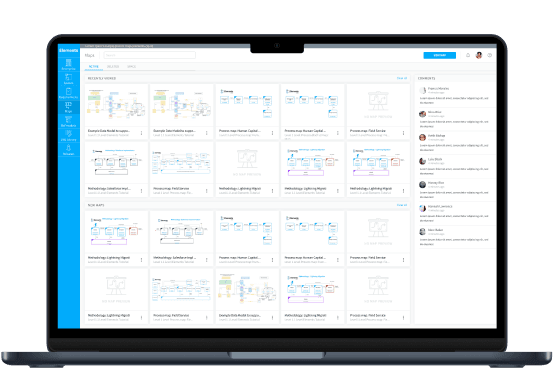
a BPM app using JavaScript stack and Serverless on AWS
What Are the Most Common Cloud Migration Strategies?
A migration strategy really answers one thing: how much does a system change on the way over? Our advice is to let risk, budget, delivery speed, and your long-term technical goals settle that, roughly in that order.
A clear method keeps the technical effort tied to business priorities and timelines. For every application still in use, that usually means a proper discovery phase first.
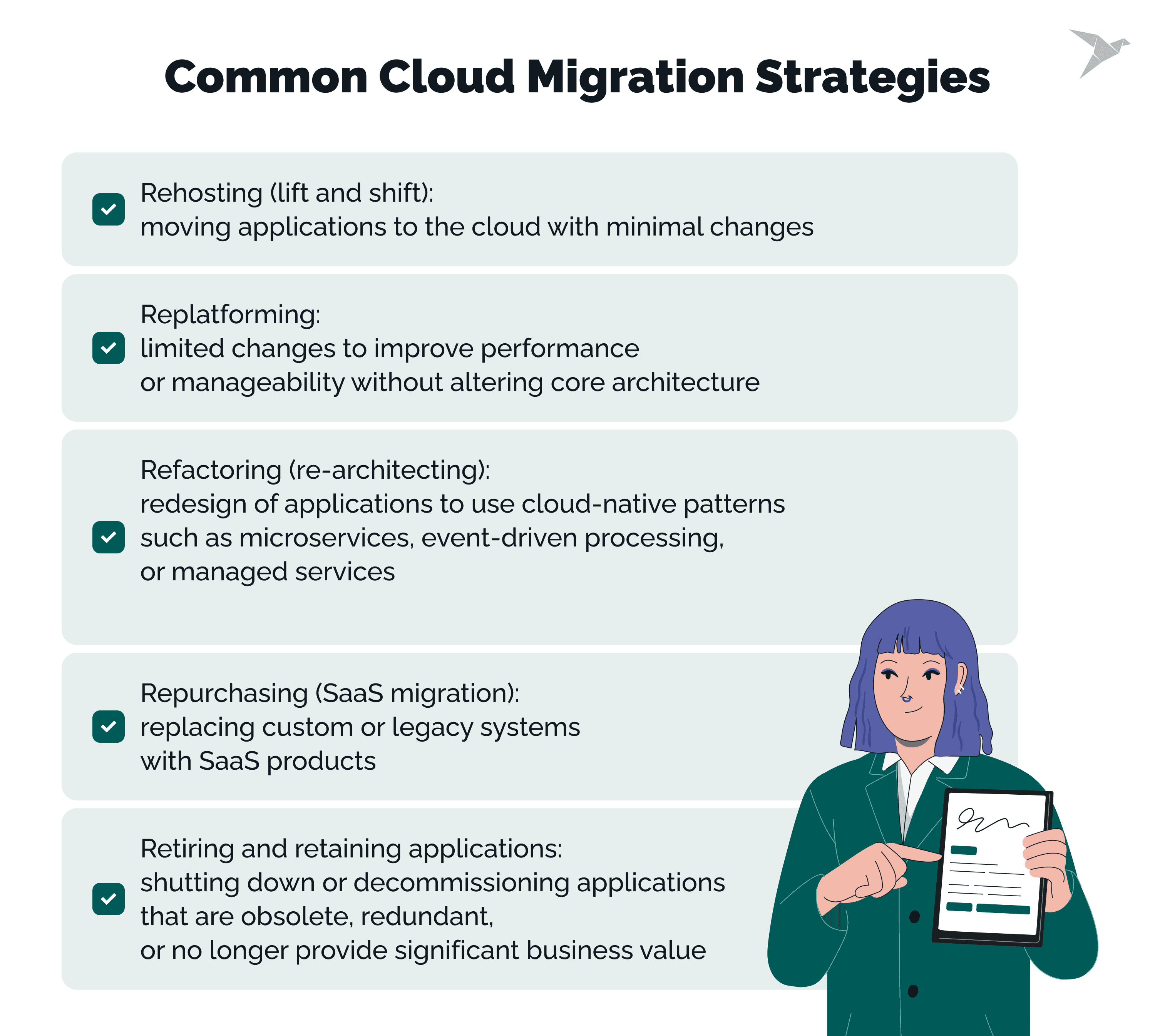
Rehosting (lift and shift)
Rehosting moves an application to the cloud with barely any changes. The infrastructure and configuration stay much the same, which cuts planning time and keeps short-term risk low.
It suits a tight deadline, or an early phase where speed beats optimization. Often it's just the first step before deeper modernization.
Replatforming
Replatforming makes a few targeted changes for better performance or easier management, but leaves the core architecture alone. Think moving to a managed database, or updating a runtime.
It's the middle ground between speed and improvement, and it fits teams who want the operational wins without paying for a full redesign.
Refactoring (re-architecting)
Refactoring rebuilds an application around cloud-native patterns, microservices, event-driven processing, managed services. It gives you the most flexibility and the most headroom to scale.
It's worth it for systems you'll keep for years, the ones already bumping into performance or scaling limits. Just know it costs more, needs deeper expertise, and takes longer.
Repurchasing (SaaS migration)
Repurchasing swaps a custom or legacy system for a SaaS product. Rather than moving infrastructure, you move your data and processes onto someone else's platform.
It cuts maintenance and gets you new features faster. Best fit: standardized business functions that don't need much customization.
Retiring and retaining applications
Not everything needs to move. Some systems have outlived their value and can simply be retired. Others stay put for now, held back by cost, risk, or a regulatory constraint.
Deciding what to move, replace, or keep is core to any migration plan. Get it right and you skip a lot of wasted effort, and you see clearly where the investment actually pays back.
How to Choose the Right Cloud Migration Strategy?
This is a conversation about priorities and trade-offs, nothing more. We line up the business goals against the technical constraints and the risk you can actually live with. Go in knowing the options, and expectations stay honest.
Business objectives and expected outcomes
Start from the outcome the business wants. For some, it's lower operating costs. For others, it's faster delivery, better reliability, or breaking into a new market.
Clear objectives make the trade-offs obvious. Chase speed and you may give up some optimization. Chase long-term scalability and you'll likely pay more upfront.
Application complexity and dependencies
How an application is built shapes how hard it is to move. Tight coupling, shared databases, and legacy integrations all raise the risk and narrow your options.
Map the dependencies early and you'll know whether a system can move as-is or needs restructuring first. The simpler the app, the faster and safer the approach.
Security and compliance requirements
Security and regulation dictate where and how workloads can run. Data residency rules, access controls, and audit requirements can rule out certain services or regions entirely.
Work through those constraints upfront and you avoid rework later. Often the security picture is what decides between a phased migration and a deeper redesign.
Budget, timeline, and internal expertise
Budget and timeline set the outer limits. Some strategies simply demand more engineering, rarer skills, and longer testing cycles.
In-house expertise matters just as much. A team new to the cloud might start with the lower-risk approaches and grow into more, and outside help can cover the gap when the deadline won't move.
What Is the Cloud Migration Process Step by Step?
From what we see in practice, a structured process takes a lot of the guesswork out and keeps the technical and business workstreams moving together. Clear ownership, written-down decisions, and defined checkpoints are what turn a migration into something repeatable instead of a scramble.
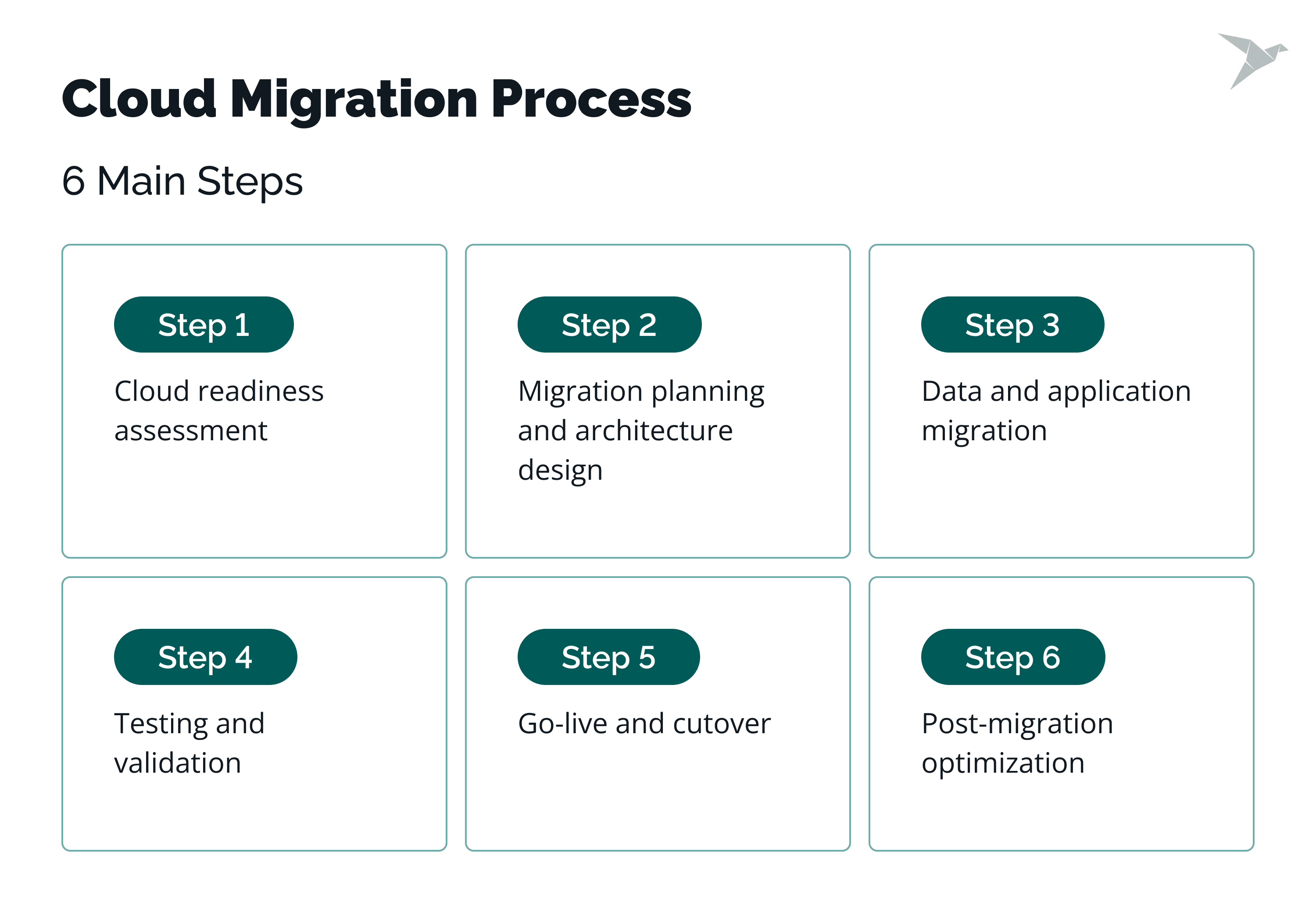
Step 1. Cloud readiness assessment
We always start by understanding what's already there. That means a look at the applications, infrastructure, data, security controls, and how the team operates day to day.
The assessment surfaces the technical constraints, the dependency risks, and the compliance requirements. It also tells us which systems can move as they are and which need work first.
Step 2. Migration planning and architecture design
Planning turns those findings into a roadmap. We pin down the target environments, pick a strategy per workload, and decide the order things move in.
The architecture design covers networking, identity, security, and availability. Documenting it clearly keeps everyone on the same page and saves rework once execution starts.
Step 3. Data and application migration
This is the phase where applications, databases, and supporting services actually move. Depending on the system, that's a rehost, a replatform, or a partial refactor.
A data transfer plan spells out how data gets extracted, validated, and synchronized. For the critical workloads, we stage the move to keep the risk down.
Step 4. Testing and validation
Testing confirms everything behaves the way it should in the new environment. We check functionality, performance, the security controls, and every integration point.
User acceptance testing and operational checks catch the gaps before real users do. Whatever we fix here is a problem that never reaches production.
Step 5. Go-live and cutover
Here, go-live shifts users and traffic to the cloud environment. The cutover plan sets the timing, the comms, and the rollback options. Coordinate it tightly and downtime stays short, with a fast path back if something goes sideways.
Step 6. Post-migration optimization
After stabilization, we focus on optimization. This includes right-sizing resources, improving performance, and tightening security controls.
From there, ongoing monitoring and regular cost reviews keep usage matched to what the business needs, and keep the system ready to grow.
How Much Does Cloud Migration Cost and How Long Does It Take?
Two questions come up on almost every first call: what will it cost, and how long will it take? The honest answer is that both vary a lot. It depends on system complexity, the strategies you pick, and how ready the organization really is.
Factors affecting cloud migration cost
The big cost drivers are the number of applications, the volume of data, and how much the architecture has to change, which is especially true for legacy applications. Rehosting usually costs less than refactoring, and older systems tend to demand more work. Your chosen strategy, and how far you lean into cloud-native features, drives both the engineering effort and the ongoing run cost.
Then there's licensing changes, security tooling, compliance controls, and how much you test. Internal labor, outside support, and running parallel environments all add to the total, as do your choices of service model and provider.
Typical migration timelines
How long it takes depends on how well you prepared and how much you're moving. A small app with few dependencies might take weeks. A complex environment with shared services and regulatory requirements can run months, especially when the tightly connected systems finally move.
Going in phases usually stretches the timeline, but it lowers the risk, which is a trade most teams take. Clear sequencing and defined exit criteria are what keep delivery on track.
Hidden costs to consider
Some costs only show up once you're underway: data transfer fees higher than you modeled, resources left running that nobody uses, or a bigger monitoring and support bill than planned. Left unchecked, they quietly eat the savings.
Training, process changes, and the optimization work afterward all take time and money too. Budget for them from the start and there are far fewer surprises later.
When Should You Involve a Cloud Migration Partner?
Some migrations are simply bigger than an internal team's capacity or experience, and there's no shame in that. Outside help earns its place when risk, complexity, or delivery pressure climbs, and especially when the whole thing has to happen without the business skipping a beat.
Complex or legacy environments
Older systems tend to run on dated technology, tightly coupled components, and dependencies nobody wrote down. All of that raises the odds of downtime and data trouble during the move, especially where the old constraints run headlong into modern cloud-native design.
A partner can gauge what's actually feasible, set realistic strategies, and plan phased transitions that keep disruption low and the business running.
Compliance-heavy industries
Healthcare, finance, and government all live under strict regulatory and audit requirements. Data handling, access controls, and availability have to meet the standard from the first day of the migration through to the last.
A partner who knows the domain can line up the architecture and processes with those compliance needs, which saves painful rework when the audit comes.
Limited internal cloud expertise
A team new to the cloud may not have the reps with automation, security models, or cloud-native operations. Learning it mid-migration slows things down and invites mistakes, and it can quietly erode the savings you were counting on if the environment isn't set up right.
Outside expertise speeds up the decisions, transfers knowledge to your people, and leaves them with repeatable practices for the next cloud project.
Migrate Data To The Cloud With TechMagic
Cloud migration comes down to clear decisions, controlled execution, and enough expertise to back them. Plan it poorly and you get more risk, later delivery, and bigger bills. Plan it well and it turns into a predictable, manageable process that actually serves the business.
TechMagic helps teams plan and run a migration without piling on complexity. We stick to practical decisions, lower risk, and outcomes you can measure, instead of handing you a generic framework.
How can we help?
- Assess how ready your applications, data, and infrastructure are to move.
- Define a realistic strategy around your risk, timeline, and budget.
- Design a target architecture that meets your security and compliance needs.
- Plan and run the data and application migration in controlled phases, so the business keeps running.
- Validate performance, security, and reliability on both sides of go-live.
- Optimize the environment afterward to keep cost and performance in line.
Every migration gets shaped around your systems and constraints. We help you pick and combine the approaches that fit, rather than force one template onto everything.

FAQs

Cloud migration's focus is on moving existing systems from on-premises data centers into a public cloud, usually with limited or no changes to the systems themselves.
Modernization goes further, redesigning applications around cloud-native architectures, managed services, and automation. Put simply: migration changes where your systems run, and modernization changes how they're built and operated.
Zero downtime is hard, especially for stateful or tightly coupled systems.
Most teams get close, though, with phased migrations, parallel environments, and cutovers planned for low-usage windows. Clear communication and a tested rollback plan cut the business impact further.
It depends on the system's age, its architecture, and how well it's documented. Legacy systems often hide outdated tech and undocumented dependencies, and those are what make the move complex.
You bring the risk down with dependency mapping, an incremental move, and some targeted refactoring where it's needed.
Safe database migration starts with validated backups and a clear transfer plan. From there, replication, synchronization, and validation checks are what keep the data consistent.
Then post-migration testing confirms performance, data integrity, and access controls before you go fully into production.