
 Software Development
 Security Services
 Cloud Services
 AI Services
 Other Services















 TechMagic Academy


Mobile App Design Trends to Follow in 2026
Last updated:5 June 2026


Modern app design trends are changing fast. And with 5.78 billion unique mobile users worldwide, plus a tablet market that shipped 151.9 million devices in 2025, it is no surprise that the mobile app industry continues to grow.
Smartphones have become the main way people interact with digital products. From banking and shopping to navigation, health, and entertainment, mobile apps now shape many everyday tasks. As expectations grow, users look for apps that feel fast, intuitive, and helpful from the first interaction.
In this article, we explore several mobile design trends that are shaping how mobile products are built today. You will learn how designers approach areas such as conversational interfaces, AI-driven personalization, accessibility, adaptive interfaces, and biometric authentication, and how these ideas help create mobile experiences that are easier and more useful for people.
Key takeaways
- The growth of mobile usage is pushing businesses to rethink how apps support everyday digital experiences, from banking and shopping to health and navigation.
- Modern app design trends focus on simplifying interaction and removing friction, helping users complete tasks faster and with fewer steps.
- Many design trends rely on AI, conversational interfaces, and adaptive UI to adjust content and features based on behavior and context.
- Visual clarity still matters: thoughtful layering, accessibility, and feedback ensure the user sees the most important actions without confusion.
- Successful apps consider not only usability but also the user’s emotional state, creating interactions that feel natural, helpful, and respectful of attention.
Why These Design Trends Made the List
This list reflects two key sources: current industry research and feedback from the design community. The trends here draw on published data about mobile usage and design direction, alongside the patterns practicing designers discuss and apply in real projects.
At TechMagic, we design interfaces for complex SaaS, healthcare, and enterprise products, where clear structure matters as much as how a screen looks. That daily practice shows which trends improve how people use a product and which add little beyond decoration.
When selecting trends, we applied four criteria:
- Backed by industry research, including data from Statista, Sensor Tower, and DataReportal
- Confirmed by feedback and discussion across the design and UX community
- Visible in real product work across SaaS, healthcare, and enterprise platforms
- Judged by effect on usability and accessibility, favoring lasting value over short-lived fashion
Our designers hold certifications across recognized bodies: the International Association of Accessibility Professionals (IAAP), the World Wide Web Consortium (W3C), the Interaction Design Foundation (IxDF), IBM, and the UX Content Collective (UXCC). These cover accessibility, usability, and design thinking.
With that grounding in place, we've summed up the design trends shaping mobile products in 2026.
The Latest Mobile App Statistics
The global mobile app industry is projected to exceed $1 trillion by 2034, making adaptation to design trends crucial for businesses.
Phone use is still intense. A 2025 Reviews.org survey found that the average American checks their phone 205 times a day, which works out to almost once every five minutes while awake. Their 2026 update put the number at 186 checks per day, so the exact figure is shifting, but the broader pattern is clear: smartphones remain deeply embedded in daily life.
People use their phones at work, at home, and in between. That behavior shows up in app usage too. Sensor Tower reports that mobile users spent 4.2 trillion hours in apps in 2024, while DataReportal’s 2025 overview says people now spend less than 6% of their total smartphone time in browsers and search apps, meaning the vast majority of mobile time goes to apps.
3 Reasons to Follow the Mobile App Design Trends
Your app can become even more successful and recognized with an innovative and user-friendly design. The following are the major reasons for monitoring the developments that will influence the best app design development this year:
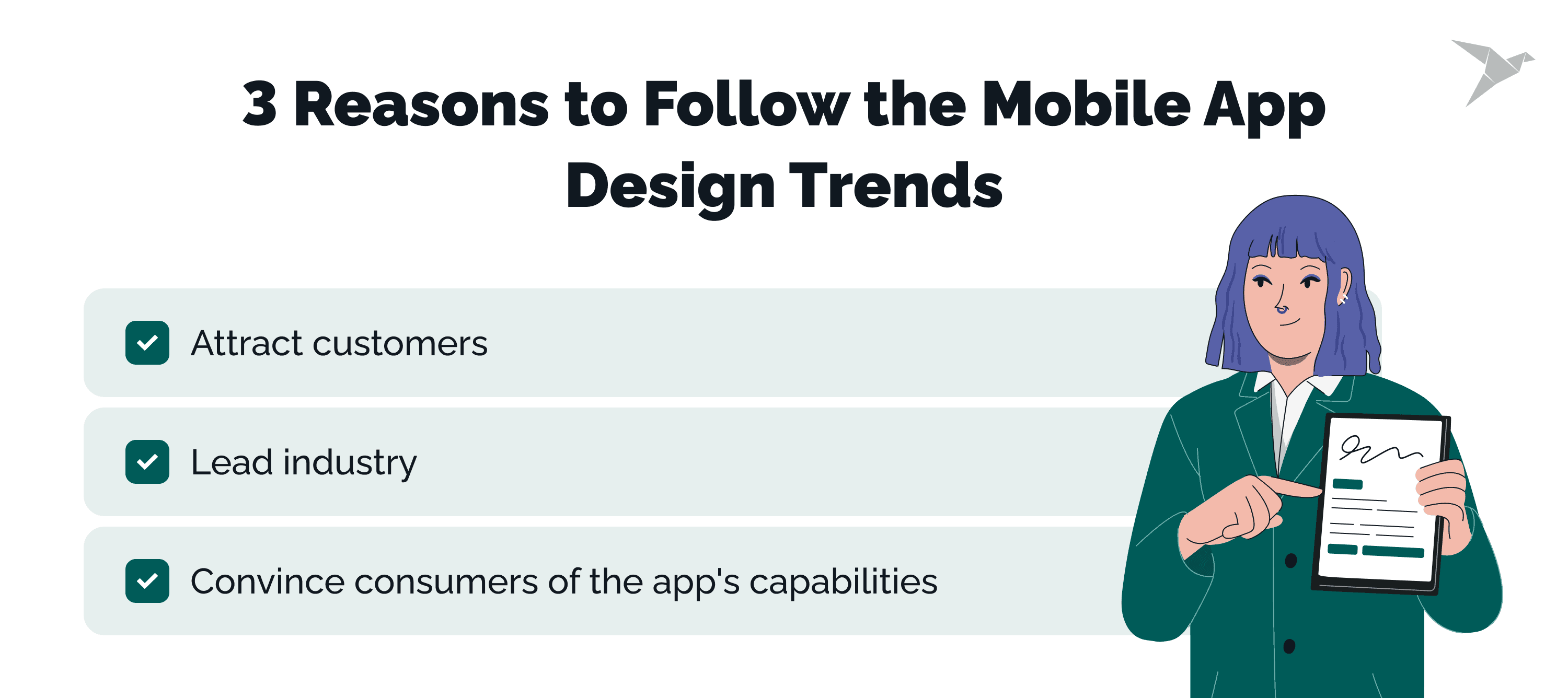
Attract customers
One of the key elements influencing users' decision-making is design. Will they reopen your app or delete it once some time has passed? Will consumers post a bad review on your website or social media sites or suggest this app to their friends? A UI that is confused, a bad first impression, and display problems can all be caused by outdated design.
Lead industry
The likelihood that your target audience will select an app with an intuitive, responsive, and captivating design is higher. You will outperform your competitors and win over customers by integrating your distinctive corporate style with cutting-edge app design trends.
Convince consumers of the app's capabilities
You only have one chance to create a first impression, so let your product's design speak for the usability and user experience of your offering. Your prospects will pass it up in favour of a more alluring option even if you employed the most skilled developers to create feature-rich software. Any business, from a sizable industrial firm to a booming video game startup, may benefit from app design.
Mobile App Design Trends Shaping User Experience
Mobile apps continue to evolve as user expectations change and new technologies mature. Our designers now work with a broader set of interaction models, visual styles, and system capabilities than a few years ago.
There are trends we see in practice.
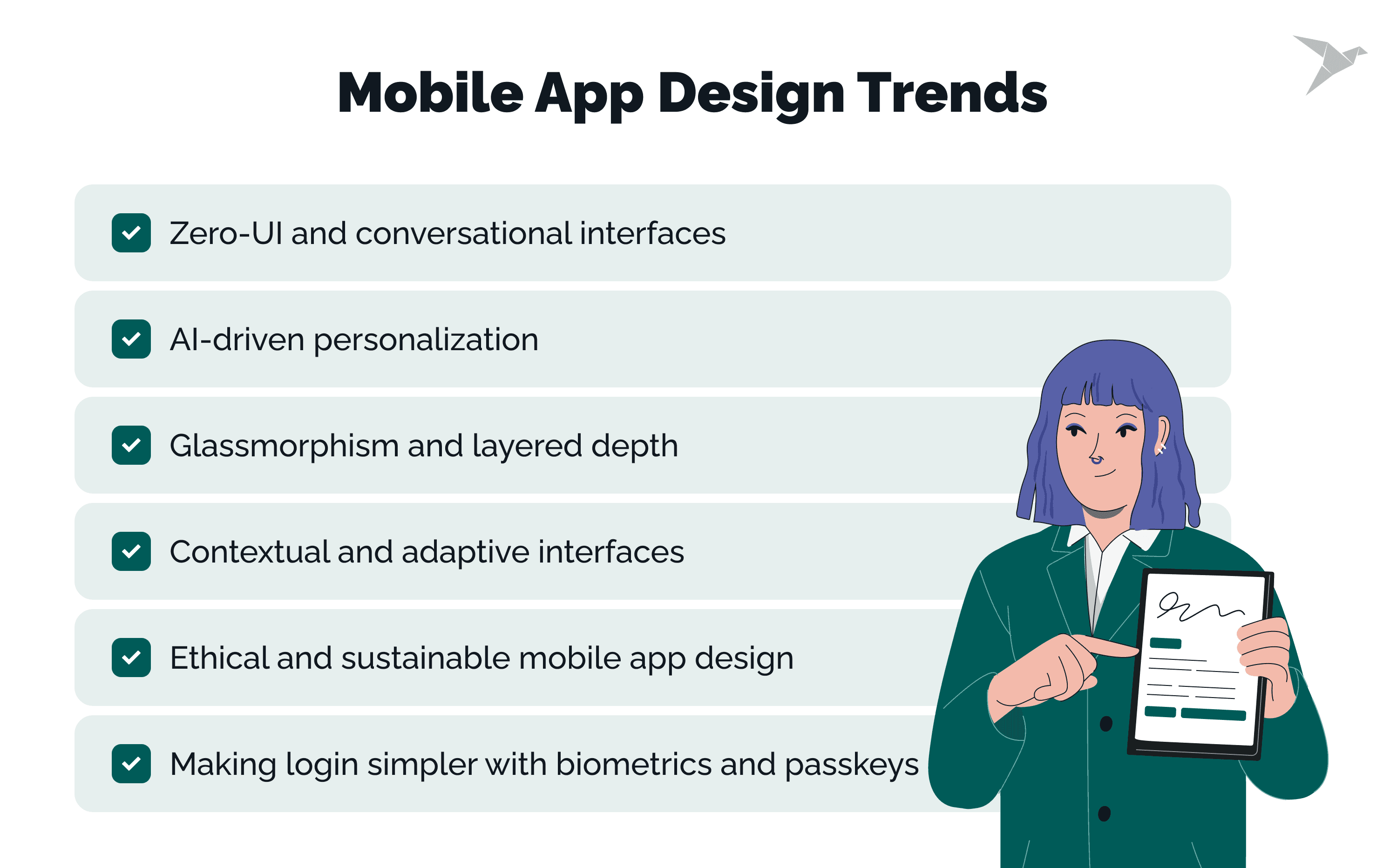
Zero-UI and conversational interfaces
Some mobile interactions are starting to happen without the usual buttons, menus, and visible controls. That is the idea behind Zero-UI. Instead of tapping through flat screens, users interact through voice, gestures, or context signals such as location, movement, or time of day.
Moving beyond screen-based interaction
Many people already recognize this pattern from tools like Alexa and Google Assistant. What started with voice assistants is now appearing in mobile apps as well. Users can ask for something in plain language, receive a response, and move forward without opening several menus or following a fixed path. In many cases, the goal is simply providing users with faster, more natural interactions.
Designing conversations instead of screens
For design teams, this changes how interaction is planned. The focus shifts from arranging screens to shaping conversations. Designers need to think carefully about how the app listens, how it responds, and how it provides feedback so users understand what is happening.
What makes these experiences work
A few things matter most here: clear prompts and easy-to-understand responses, a consistent tone that feels natural across the experience, awareness of context such as time, place, or activity, and transparent privacy controls for voice and interaction data.
Where this trend is heading
As natural language processing improves, these experiences will become more capable. In the future, technologies like augmented reality and spatial devices such as Apple Vision may extend these interactions beyond the phone itself.
AI-driven personalization
AI is making mobile apps feel more personal. Instead of giving every user the same experience, apps can adapt to individual habits, routines, and preferences. They recognize patterns such as when someone opens the app, which features they use most, or what they tend to do next.
Learning from user behavior
You have probably seen this approach in platforms like Netflix and Spotify. They learn from what people watch, skip, save, or replay, then use that information to suggest something more relevant. Mobile apps now apply similar logic across many areas, from finance tools to productivity apps and shopping platforms.
Adapting the interface to the user
In practice, this can mean suggesting the next step based on past behavior, highlighting features that are used most often, or adjusting content so it feels more relevant in the moment.
Keeping personalization balanced
When personalization works well, it saves time and reduces friction. But teams need to balance personalization carefully. Too many automated suggestions can risk overwhelming users, and poorly implemented recommendations can start to feel like dark patterns.
Maintaining transparency and user control
The goal is to make the experience helpful without taking control away from the user. Clear settings, transparency about data use, and thoughtful design decisions help keep personalization useful rather than intrusive.
Glassmorphism and layered depth
Glassmorphism is one of the UI trends bringing depth back into modern mobile applications. It uses translucent layers and blurred backgrounds so elements appear to float above the screen, similar to frosted or liquid glass surfaces.
Today’s devices handle these effects much more smoothly, which makes the style easier to implement across web apps and mobile products. Designers often use it for interactive elements such as floating cards, modal windows, or overlays where layered depth helps guide attention and strengthen the visual hierarchy.
The key is balance. Effects like liquid glass should support clarity rather than compete with it. Text, icons, and controls still need strong contrast so the interface remains readable and usable.
Contextual and adaptive interfaces
Another of the important UI trends shaping modern products is the rise of adaptive UI. Instead of staying fixed, interfaces now respond to context and adjust to what the user is doing.
You can see this across many mobile applications. Navigation tools switch to dark mode at night, weather apps reflect current conditions, and some fitness apps highlight workout shortcuts based on past activity. These small adjustments make the experience feel more natural and relevant.
From our experience designing complex web apps and mobile products, this kind of flexibility works best when it is planned early. Teams need modular components, reusable design patterns, and clear logic for how the interface should react to signals such as time, location, or device orientation.
When done well, adaptive UI supports a clearer visual hierarchy, provides subtle feedback during interaction, and allows interactive elements to adjust without disrupting the user’s flow. As spatial computing and connected environments continue to evolve, this approach will play an even larger role in how digital products respond to real-world context.
Ethical and sustainable mobile app design
Sustainable and ethical design is becoming a more practical part of mobile product work and one of the latest app design trends shaping digital products today. It means building apps that use fewer resources without making the experience harder to use. When an app loads faster, uses less data, and drains less battery, that benefits both the product and the person using it.
In our work, this usually comes down to thoughtful design and engineering choices. Optimized images, lighter media files, fewer unnecessary animations, efficient code, and lower background data usage all make a visible difference. Together, these decisions help create apps that feel faster, cleaner, and more reliable. This is where sustainable design becomes especially valuable for teams designing mobile apps that people rely on every day.
The ethical side matters just as much. Users expect apps to be clear about permissions, data use, and the logic behind key interactions. Clear privacy controls and honest communication build trust. So does avoiding manipulative patterns. In that sense, sustainable design is not only about performance. It is also about respecting people’s time, attention, and choices.
Making login simpler with biometrics and passkeys
Signing in to mobile apps is gradually moving away from traditional passwords. Many products now use biometric authentication and passkeys to verify identity in a quicker and more convenient way.
Biometric authentication
Biometric methods, such as fingerprint or facial recognition, let users log in with a quick scan instead of typing credentials. Most people already use this approach to unlock their phones, so it feels familiar and effortless. It also creates a more seamless user experience, with less friction and fewer steps.
Passkeys and device-based credentials
Passkeys take this one step further. Instead of storing passwords, the app relies on a cryptographic credential tied to the user’s device. The device confirms identity through biometrics or a screen lock, which reduces the risk of stolen or reused passwords. Unlike patterns borrowed from web design, this feels more natural on mobile because it fits how people already interact with devices in the physical world.
Security, transparency, and user control
In practice, this approach makes everyday use smoother while improving security. Users can sign in faster, avoid password fatigue, and gain better protection against phishing attacks.
At the same time, biometric data is highly personal. Apps need to clearly explain how authentication works, how data is protected, and give users the option to turn biometric login off. Small details such as confirmation states, visual feedback, and subtle micro animations can also make the sign-in experience feel clearer and more reassuring.
Accessibility in Mobile App Design
Accessibility is becoming a core part of modern mobile product design. Today, more teams treat it as accessibility-first design, ensuring that digital products work for people with different abilities, devices, and environments. With more than 15% of the global population living with some form of disability and regulations like the European Accessibility Act expanding, accessibility is no longer optional.
For teams building mobile products, this means thinking carefully about user needs from the start. Accessibility is not only about compliance with accessibility standards. It is about creating mobile experiences that allow more people to interact with technology comfortably and independently.
Designing for different abilities
Accessible design focuses on removing barriers that can prevent users from completing simple user actions. For example, people with visual impairments may rely on screen readers, while others might navigate using voice input or assistive devices.
A few practical steps help support these users:
- adding ALT text so screen readers can describe images;
- ensuring that information is not conveyed by color alone;
- using scalable text and flexible layouts;
- avoiding interactions that require very precise tapping.
These decisions may seem small, but they significantly improve how people interact with digital products.
Supporting different interaction methods
Accessibility also means offering alternative ways to interact with an interface. Some users rely on voice commands or voice navigation instead of touch gestures. Others benefit from clear visual cues or well-designed micro interactions that provide feedback after an action.
For instance, a simple vibration or animation confirming a completed task is a clear example of how feedback can make an interface easier to understand.
Accessibility improves the experience for everyone
When accessibility is built into an existing one or a new product, the result often benefits all users, not only those with impairments. Larger touch targets, clearer navigation, and flexible interaction methods make apps easier to use in everyday situations.
Ultimately, accessible design helps teams create experiences that deliver real value to a wider audience. As many apps compete for attention, products that prioritize inclusive mobile experiences stand out because they work well for more people in more contexts.
Our Experience
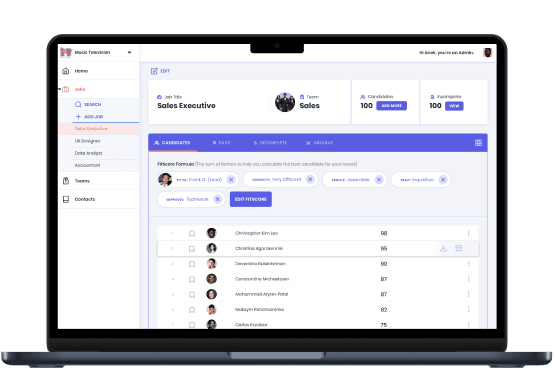
Implementing top mobile design trends and UI/UX design services are well demonstrated in the GOOD&CO app, delivered by TechMagic developers.
The platform analyzes human archetypes based on test responses and determines your FitScore with the companies. Users can discover their strengths and qualities to improve and find their dream company. Companies have a chance to hire the best workers.
The app is exceptionally functional while remaining minimalist and well-structured. Thanks to the animated elements, colors, and shapes that place accents, the use is as intuitive as possible. The illustrations play in favor of usability, recognizability, and enjoyment.
an HR tech app that was acquired by StepStone
Final Thoughts
Not every trend belongs in every product. Trying to use every new idea at once usually leads to a product that feels scattered. A better approach is to choose the mobile app UI trends that match your product, your users, and your business goals, then apply them in a way that feels consistent.
What is likely to shape the next few years
The direction is already clear. Smartphone design trends are moving toward more adaptive, more conversational, and more context-aware experiences. AI-driven personalization will likely become more precise, while accessibility and ethical design will keep moving closer to a baseline expectation.
Why practical judgment still matters
Not every trend will make sense for every product. Teams working with Android app design trends, for example, often need to think more carefully about device variety, screen sizes, and usage contexts. That is why strong research and product thinking matter just as much as design execution.
FAQ

Some of the most visible mobile app UI design trends include AI-driven personalization, conversational interfaces, adaptive UI, accessibility-first design, and thoughtful motion design. Many teams also combine modern depth effects with principles of flat design to keep interfaces simple and readable.
Bottom navigation remains popular because it places the most important actions within easy reach of the thumb. This pattern works well on modern mobile devices, especially larger smartphones, and helps users move between key sections quickly.
Inclusive design ensures that apps work for people with different abilities, environments, and devices. Clear layouts, readable text, scalable elements, and accessible interactions help create better experiences for a wider audience.
New hardware capabilities often shape design choices. For example, OLED screens allow deeper contrast and energy-efficient dark modes, while the latest innovations in display technology encourage designers to rethink color, depth, and visual hierarchy in mobile interfaces.